Claim rewards
Rewards are claimed in the Gold DAO app. The app finds your neurons through a hotkey, which you add once to each neuron in the NNS dapp.
Why a hotkey
Internet Identity gives you a different principal in every app. Your principal in the Gold DAO app is therefore not the one that owns your neurons in the NNS dapp, even if you sign in to both with the same identity.
Adding your Gold DAO app principal as a hotkey to a neuron lets you claim for it. A hotkey can vote, make proposals and claim rewards for the neuron. It cannot disburse or dissolve it.
Add your neuron to the app
- Open the Gold DAO app and sign in.
- On the Govern page click Add neuron. The dialog shows your principal. Copy it.
- In the NNS dapp go to Neuron Staking, select Gold DAO and open your neuron. Scroll to Hotkeys, click Add Hotkey and paste the principal.
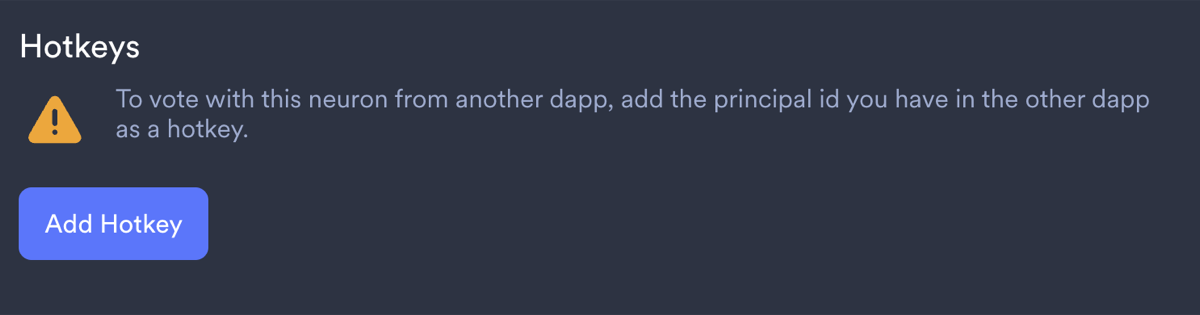
- Go back to the Gold DAO app and reload the page. The neuron is now listed under My GOLDAO neurons.
Repeat step 3 for every neuron you want to claim for.
Claim
When rewards are waiting, the Govern page shows Unclaimed rewards available with their total value in US dollars. Claim rewards in that box claims for all your neurons at once. The Claim rewards button in the row of a neuron claims for that neuron only.
The tokens arrive in your wallet in the app after a few seconds. From the Wallet page you can send them to another address.
A token can be claimed once the amount is larger than the transfer fee of that token. The fee is deducted from what you receive.
Nothing to claim
If a neuron is listed but shows no rewards, check these points:
- The dissolve delay is below two years, or the neuron is dissolving. Such neurons receive no rewards, see Rewards.
- The neuron did not vote. Set it to follow another neuron if you do not vote yourself, see Stake GOLDAO.
- Nothing was paid since the neuron became eligible. ICP, OGY and WTN are paid on Wednesdays, GLDT on the first Wednesday of the month.